D3 Pyrodeck
A web admin panel for Descent 3 dedicated servers.
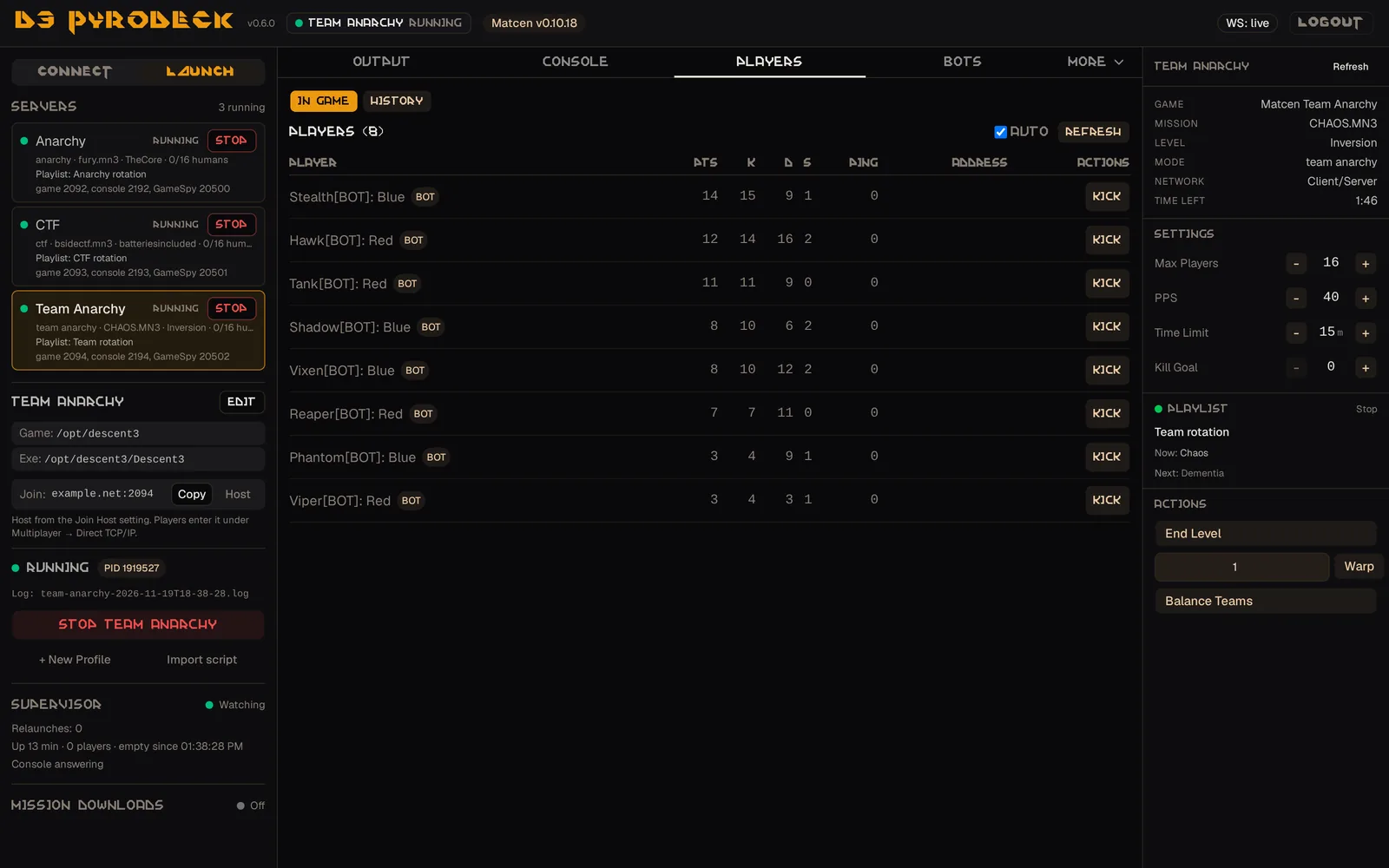
Pyrodeck starts your servers, keeps them running and puts their consoles, players, bots, playlists and logs in a browser, on a desktop or a phone. One Pyrodeck runs several servers at once. It is the companion to Matcen, and also manages servers without bots.
Features
What the panel does for a server operator.
-
Several servers
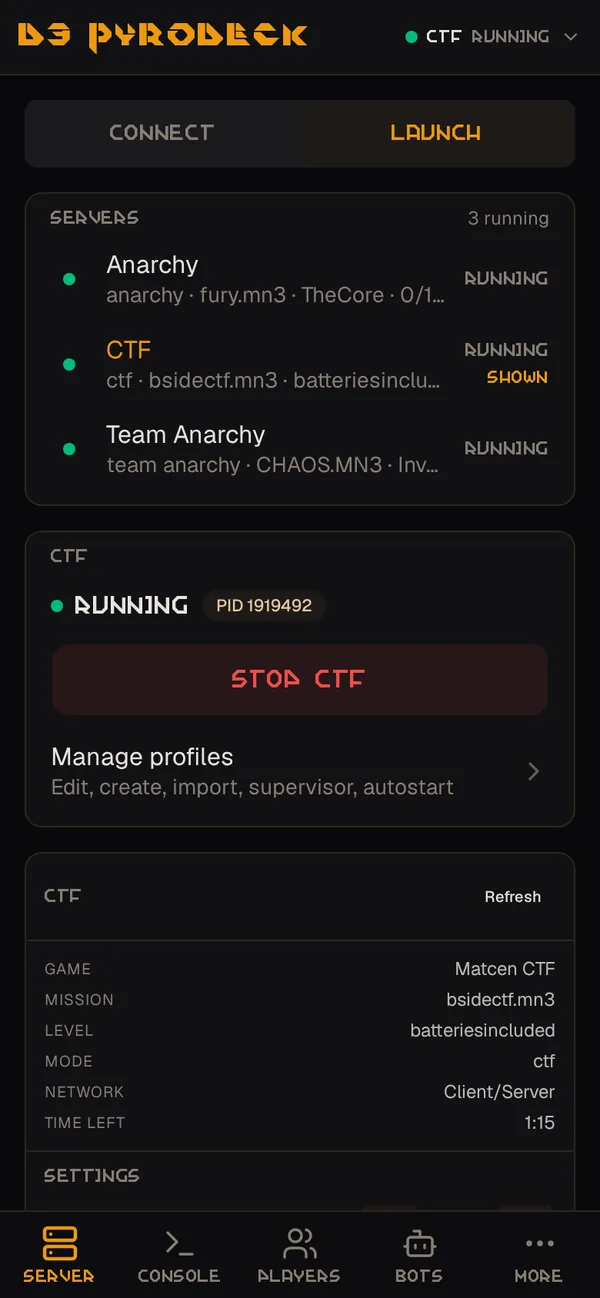
Each server runs from its own profile, with its own console, supervisor, playlist and logs. Start, stop and switch between them from one list.
-
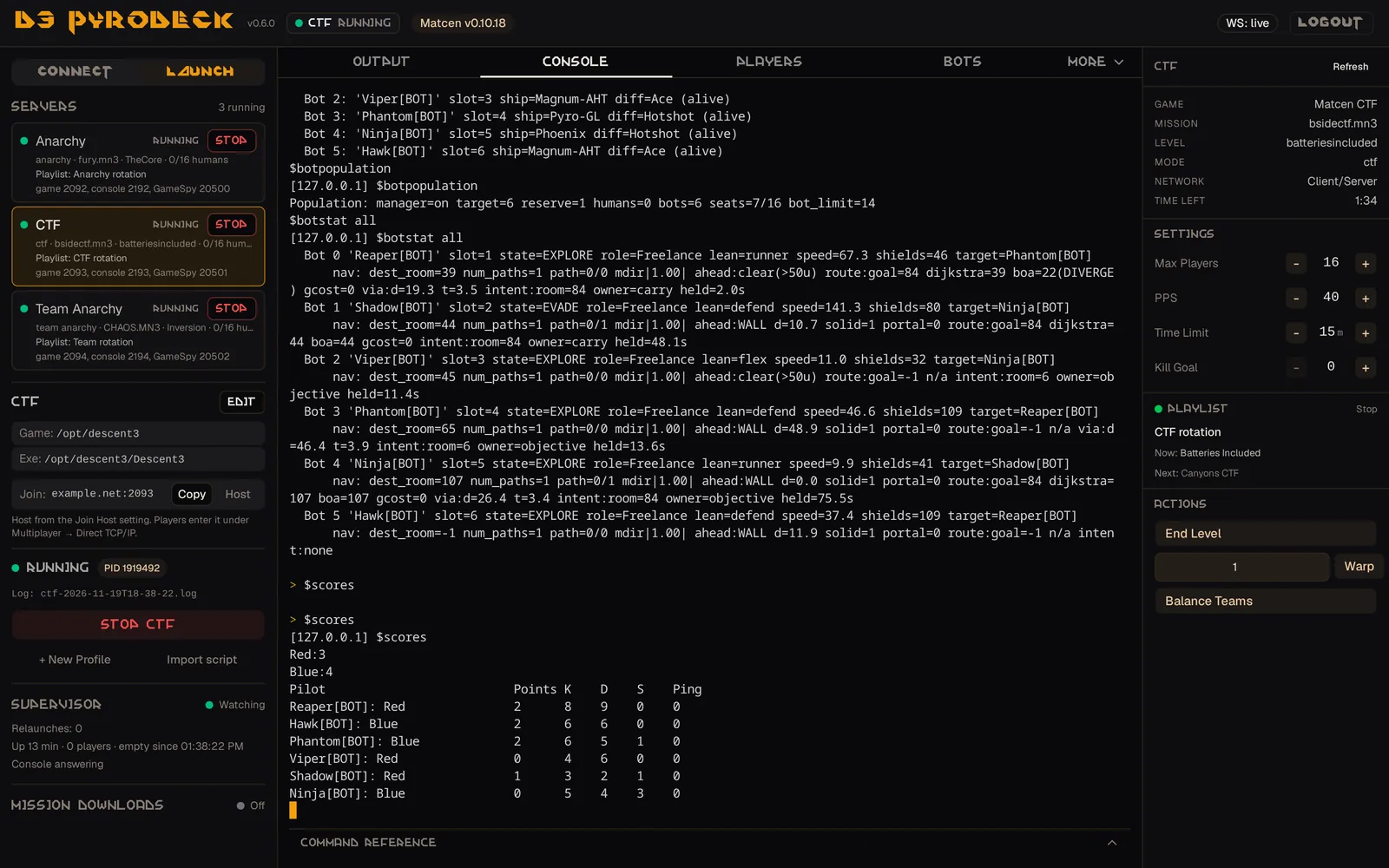
Console and players
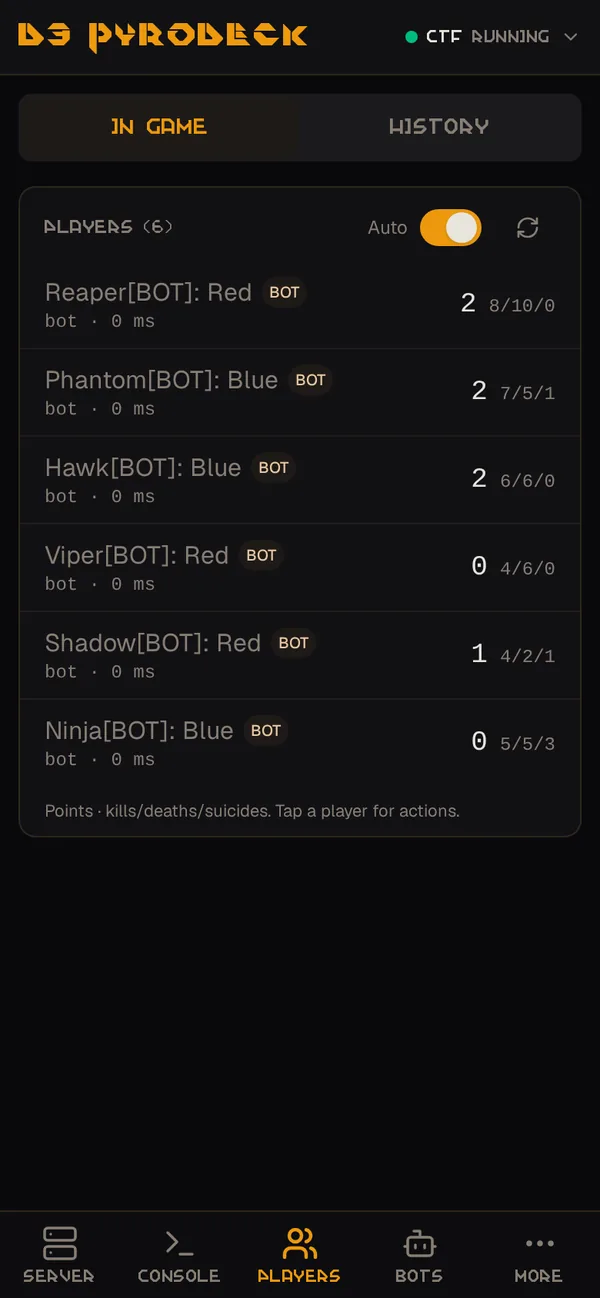
A live console with a command reference, a scoreboard that refreshes itself, kick and ban with a reason, and a history of who joined and when.
-
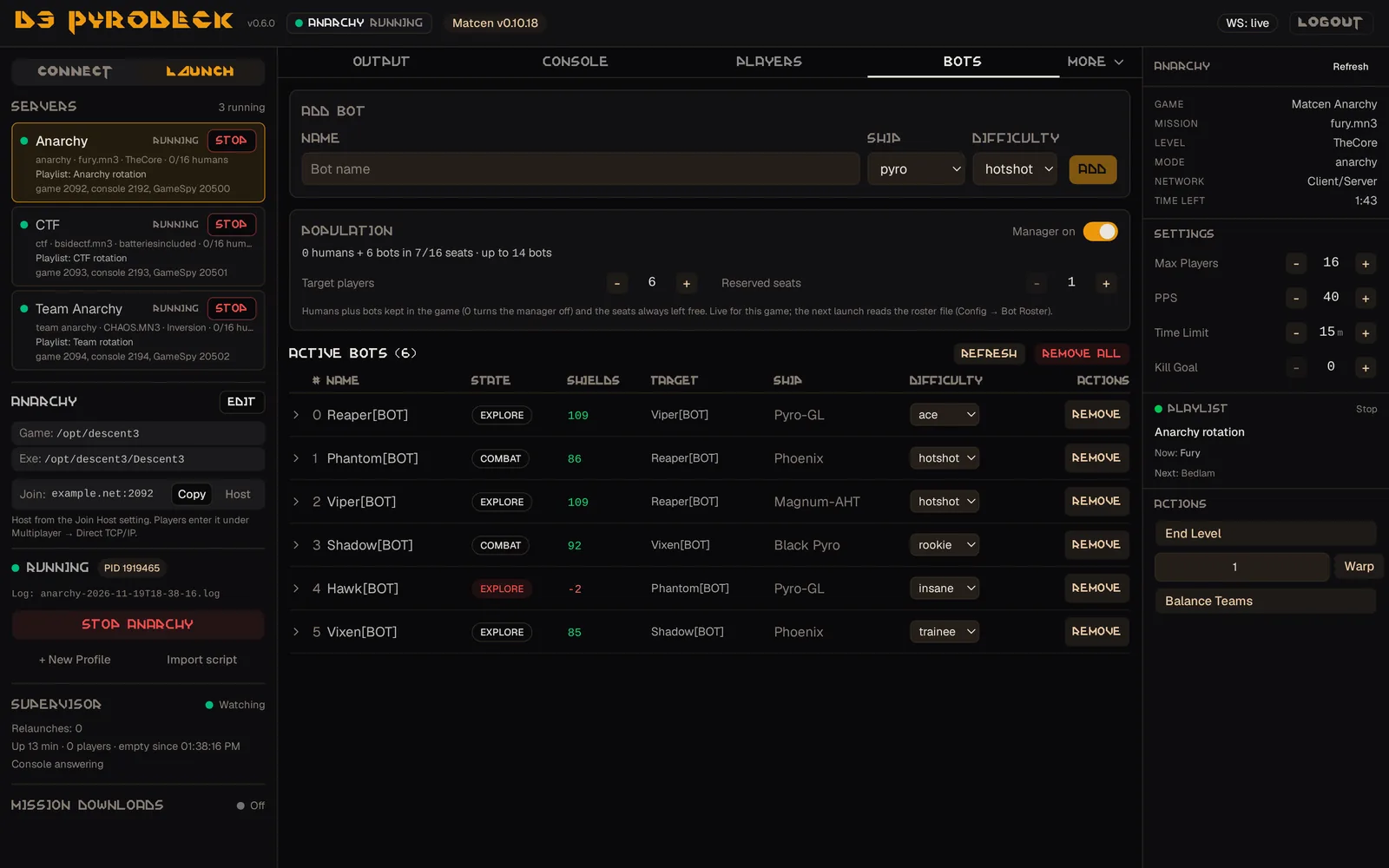
Bots
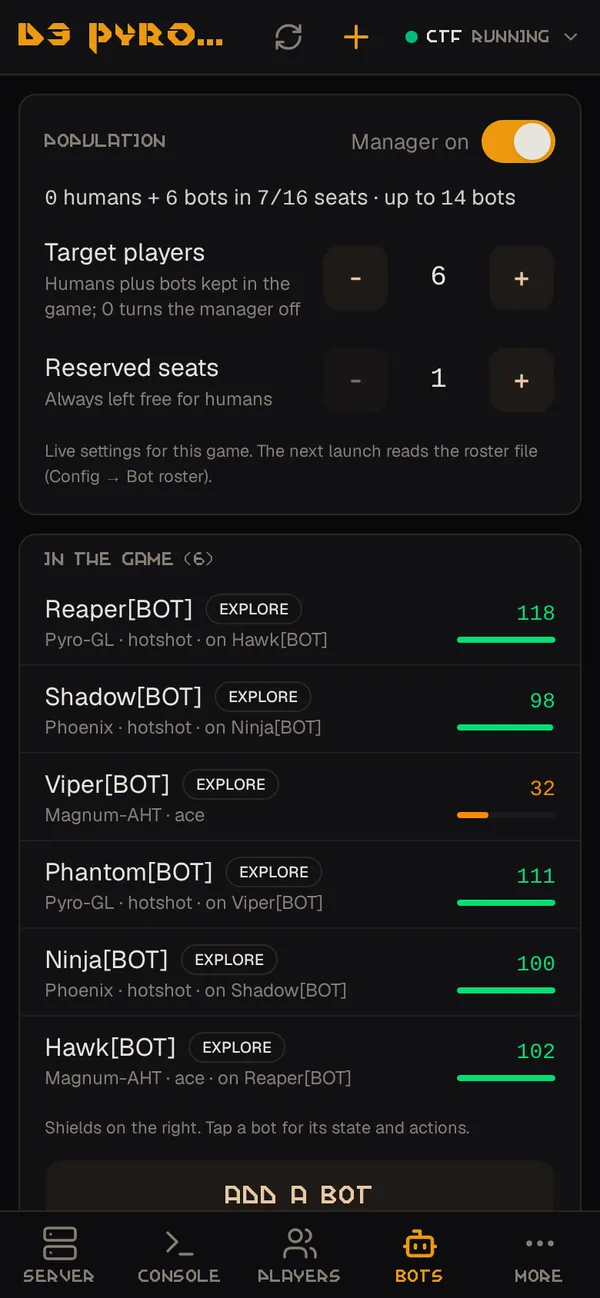
On a Matcen server: add and remove bots, change difficulty and teams, and set how many players the server keeps.
-
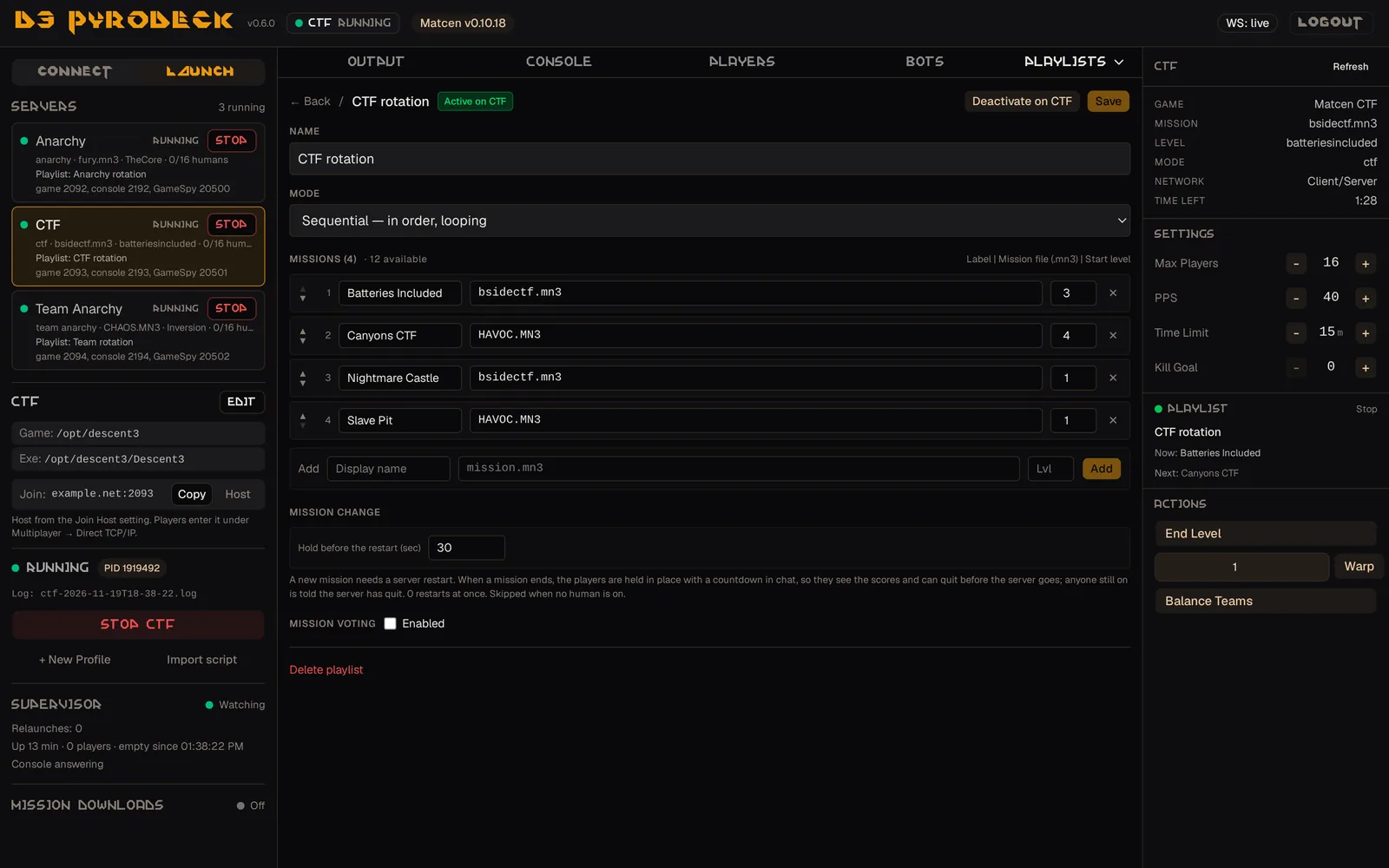
Playlists
Rotate a server through a list of missions in order, shuffled or weighted, with an optional player vote and a countdown in chat before each change.
-
Mission downloads
Serve your custom missions to players who join without them.
-
Keeping a server up
A crashed server is relaunched, a hung one is restarted, an empty one can be restarted after an uptime limit, and servers start with Pyrodeck after a reboot. Restarting Pyrodeck does not stop a server.
-
No files to edit
Forms for the server config, ship and powerup rules, the bot roster and startup commands, with a raw editor beside them.
-
Logs
One log file per launch, viewed or downloaded in the browser, with optional retention and compression.
-
A phone layout
Below 768 px the panel is a phone app that can be added to the home screen.
On a phone
The same servers from a phone: the server list, the scoreboard, and the bots with their population settings.
More of the panel
The console, the bots and a playlist.
What it works with
Matcen
Everything. Pyrodeck asks the server what it supports and shows the bot controls when it answers. A current Matcen release is recommended.
Retail 1.4 and the open-source engine
Everything except the bot features, on retail Descent 3 1.4 and the open-source engine.
Install
Packages for Linux and Windows. Pyrodeck needs a Descent 3 installation on the same machine and
a ConsolePassword in the server's config.
- Download the package for your system from the Releases page.
- Extract it. It holds one program and a
resourcesfolder that must stay beside it. Nothing else needs installing. - Run the program from the folder where you want Pyrodeck to keep its settings.
- Open
http://localhost:3001in a browser on the same machine and choose an admin password. - Open the Launch tab, point Pyrodeck at your Descent 3 folder, create a profile and click Start.
Good to know
- Pyrodeck listens on its own machine only. To reach the panel from elsewhere, put it behind a reverse proxy with HTTPS.
- A playlist changes mission by restarting the server, and players reconnect by hand.
- Windows packages are unsigned, so SmartScreen warns on the first run.
- The README lists every known limitation.
Documentation
- Features Every part of the panel in detail.
- Several servers A second server: ports and shared game folders.
- Playlists Rotation, the hold before a mission change, mission downloads.
- Operations Logs, schedules, email alerts, autostart, the supervisor, bans.
- A public server nginx, HTTPS, the firewall.
- Running as a service Unattended, with systemd, NSSM or Task Scheduler.
- The phone layout Adding the panel to the home screen.
- Changelog What each release changed.
About
Pyrodeck was written by Steve V with substantial AI assistance (Claude, by Anthropic). Design, testing and every release decision are the author's. It is licensed under the MIT License. Bug reports are welcome on the issue tracker.